
Seeing a “Key Not Detected” warning on your Hyundai Elantra can leave you unable to start the car, even when the smart key is in your pocket. A weak key fob battery is one possible reason, but signal interference, a damaged key, or a fault in the vehicle’s electronic system can produce similar symptoms.
The right fix depends on what is preventing your car from recognizing the key. A few simple checks can help you identify the likely cause before paying for a replacement key or professional repair.
What the Hyundai Elantra Key Not Detected Message Means
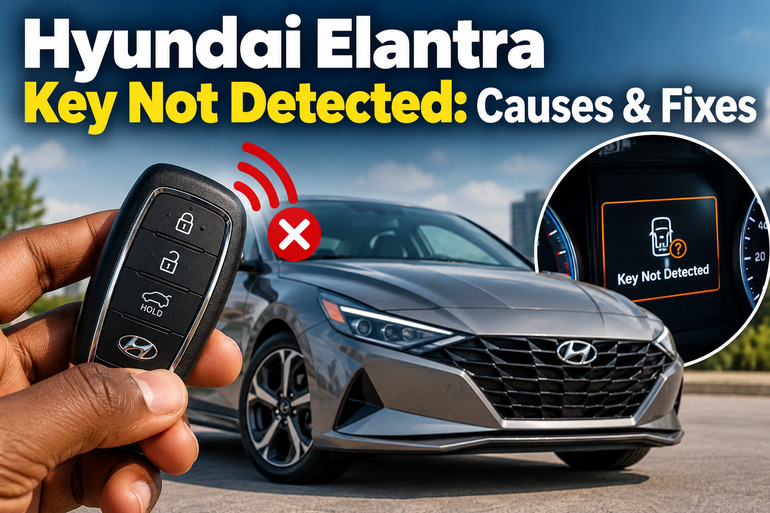
The “Key Not Detected” message indicates that your Hyundai Elantra’s smart key system cannot recognize an authorized key when you press the Engine Start/Stop button. In models with push-button starting, the vehicle checks for a registered smart key before allowing the engine to start. If the system cannot verify the key, it may prevent the normal starting process.
Several symptoms can accompany this warning. Your doors might refuse to unlock remotely, the dashboard might display the message while you press the start button, or the engine might fail to start despite having the key inside the cabin. In some cases, the remote buttons work normally, but the vehicle still cannot detect the key during starting.
The distinction matters because the remote locking function and the engine starting process use different parts of the vehicle’s electronic system. A working lock button does not automatically prove that every component required to start the engine is functioning properly.
The instructions below primarily apply to Elantra models equipped with a smart key and push-button start. Conventional ignition-key models use a different starting arrangement, although a damaged transponder key or immobilizer fault can also prevent the engine from starting. The exact emergency starting procedure and replacement battery depend on your model year and key design.
Hyundai Elantra Key Not Detected: Likely Causes
Several faults can prevent your Hyundai Elantra from recognizing its smart key. Start with the key itself and its surroundings before suspecting an expensive electronic component.
1. Weak or Dead Key Fob Battery
A weak battery is one of the first things to investigate when your Elantra displays “Key Not Detected.” The battery powers the smart key’s electronic functions, allowing it to communicate with the vehicle’s keyless entry system.
As the battery loses power, the signal may become unreliable. You might notice that the remote works only when you stand close to the car, or that you need to press a button several times before the doors respond. Eventually, the vehicle may fail to recognize the key when you attempt to start the engine.
The battery can also fail suddenly, particularly if it is old or has been exposed to unfavorable conditions. If the warning appeared shortly after the remote’s operating range decreased, replacing the battery is a sensible first step. Hyundai’s owner documentation recommends replacing the smart key battery when it becomes weak.
2. Signal Interference or Incorrect Key Position
Your Elantra may fail to recognize a perfectly functional key if its radio signal is being disrupted or the key is too far from the detection area.
Nearby electronic devices, radio transmitters, other smart keys, and certain metallic or electromagnetic materials can interfere with key operation. Hyundai specifically warns that proximity to mobile phones and radio transmitters can affect remote key performance.
The position of the key also matters. A smart key buried inside a bag at the back of the cabin may be harder for the system to recognize than one held close to the driver. Some models may also have difficulty detecting a key placed near other electronic devices or another vehicle’s key fob.
If the warning appears intermittently or only in a particular location, interference or key placement deserves attention before you replace any parts.
3. Damaged, Faulty, or Unrecognized Smart Key
A smart key can develop an internal fault after being dropped, crushed, exposed to moisture, or subjected to excessive heat. The outer casing may look normal even when the electronic circuit inside has been damaged.
Symptoms depend on the nature of the damage. The lock and unlock buttons may stop working, the vehicle might recognize the key inconsistently, or the dashboard may continue displaying the warning after a new battery has been installed.
Another possibility is that the key is not properly registered to the vehicle. This can become relevant after key replacement, electronic repairs, or an unsuccessful programming procedure. A new-looking key is not necessarily an authorized key for your particular Elantra.
If you have a spare smart key, its performance provides a useful comparison. When the spare works consistently but the main key does not, the fault is more likely to be associated with the main key.
4. Weak or Discharged 12-Volt Vehicle Battery
The Elantra’s 12-volt battery supplies electrical power to the systems required to operate the vehicle, including electronic control units and starting-related equipment. When its voltage becomes too low, several electrical functions can behave unpredictably.
This may happen after leaving the lights on, allowing the vehicle to sit unused for an extended period, or experiencing a fault that drains the battery while parked. An aging battery may also struggle to supply enough power even if the dashboard lights still illuminate.
Look for additional symptoms such as slow cranking, clicking noises, dim dashboard lights, flickering displays, or multiple warning messages appearing together. These signs make a vehicle battery problem more plausible than an isolated smart key fault.
A weak vehicle battery does not automatically mean that the key itself is faulty. If several electrical systems have stopped working correctly at the same time, the car’s power supply deserves attention.
5. Faulty Key Detection Antenna, Receiver, or Related Electronics
Your Elantra depends on electronic components inside the vehicle to detect the smart key and communicate with its control systems. Depending on the model, these components include key detection antennas, a smart key control module, and related wiring.
If a detection antenna or its wiring fails, the vehicle may struggle to recognize the key even when the key fob has a fresh battery. A problem affecting the control module or communication circuit can also prevent successful key recognition.
The pattern of the fault can offer useful clues. For example, a problem that began after electrical repairs or dashboard work may justify checking the relevant wiring and connectors. If two registered keys produce the same warning, the vehicle-side system becomes a stronger suspect.
These faults generally require diagnostic equipment and model-specific technical information. Replacing the receiver or an antenna without confirming the fault can waste money, so proper testing is preferable.
Hyundai Elantra Key Not Detected: How to Fix
Begin with the simplest checks that address the key battery, signal interference, and starting procedure. If those steps fail, compare the behavior of a spare key and look for evidence of a vehicle electrical fault.
1. Move the Smart Key Closer to the Start Button
If you are stranded with a “Key Not Detected” warning, try the emergency starting method specified for your Elantra.
First, engage the parking brake and place the transmission in Park. Keep your foot on the brake pedal, then hold the smart key directly against the Engine Start/Stop button and press the button according to the procedure in your owner’s manual.
Some Hyundai models allow the vehicle to recognize the key through this backup method when the smart key battery is weak or the normal detection process fails. The precise key orientation and contact point depend on the model.
If the engine starts, you have gained a useful diagnostic clue, although the underlying fault has not necessarily been resolved. Arrange to check the key battery and investigate any recurring warning. Do not assume that a successful emergency start proves the smart key is in good condition.
2. Replace the Smart Key Battery
Replacing the key fob battery is a practical next step, especially when the remote has recently become less responsive.
Check your owner’s manual or the marking on the existing battery to identify the correct replacement. Do not assume that every Hyundai Elantra uses the same battery type, since the correct specification depends on the key design and model year.
To replace it, follow these general steps.
-
Remove the mechanical key from the fob if its design requires this.
-
Open the casing carefully using the recommended opening point and a suitable small tool.
-
Remove the old coin-cell battery without damaging the internal contacts.
-
Install a new battery of the specified type, observing the correct positive and negative orientation.
-
Reassemble the casing and test the remote.
An incorrectly positioned or poorly seated battery can prevent the key from working. Keep the small battery away from children because swallowing a button battery can cause severe internal injuries. If the fob is damaged or difficult to open safely, have a locksmith or technician handle the replacement.
3. Remove Potential Sources of Signal Interference
If the key works inconsistently, clear the immediate area around it before assuming a component has failed.
Take the smart key out of your bag or pocket and hold it by itself near the driver’s seat. Move mobile phones, other electronic devices, spare smart keys, and bulky metallic objects away from it. Retry the starting procedure with the gear selector in Park and your foot on the brake pedal.
Next, try starting the vehicle in a different location if the problem appears to occur only in one parking area. Strong nearby radio signals or other sources of interference may affect remote key operation.
If the vehicle starts normally after changing the key’s position or surroundings, interference may have contributed to the problem. However, a recurring warning still deserves attention, particularly if the key’s operating range has also decreased.
4. Test Your Spare Smart Key
A spare key helps you determine whether the issue follows the key or remains with the vehicle.
Keep the spare key separate from the main key while testing. Bring it into the cabin, place it near the driver’s seat, and attempt to start the Elantra using the normal procedure.
If the spare key works reliably, inspect the main key for physical damage and confirm that its battery is installed correctly. A faulty battery, damaged circuit, or key-specific programming issue may explain the difference.
If both registered keys produce the same warning, concentrate on common factors such as vehicle battery condition, signal interference, and the car’s key detection equipment. This comparison cannot identify the exact failed component, but it can help a technician narrow the diagnosis.
5. Check the Vehicle Battery and Starting Conditions
If your Elantra displays other electrical warnings or has difficulty starting even with a spare key, investigate the 12-volt battery and basic starting conditions.
Observe the dashboard when you press the Start/Stop button. Very dim lights, a flickering display, or repeated clicking may indicate insufficient battery power. A battery test can establish whether the battery needs charging or replacement.
Also confirm that the transmission is in Park and that you are pressing the brake pedal while starting the vehicle. Depending on the model, starting may require a valid brake pedal signal. Hyundai manuals identify brake pedal and brake switch fuse warnings as separate starting concerns.
If the dashboard specifically displays a brake switch fuse warning, or the brake lights fail to operate, have the relevant circuit checked. A brake switch fault can prevent starting even when the smart key is recognized. Do not assume that this fault is the cause of a genuine “Key Not Detected” message.
Avoid probing exposed electrical connections or replacing unfamiliar fuses without checking the correct specification in the vehicle’s manual.
6. Contact a Qualified Automotive Technician
Professional diagnosis becomes necessary when the warning persists after the battery replacement, interference checks, and spare key test. It is also appropriate when the vehicle has suffered water damage, an electrical repair, or a physical impact that may have affected the key or detection system.
A qualified Hyundai technician or automotive locksmith with suitable diagnostic equipment can test the key, check for relevant fault codes, inspect the detection antennas and wiring, and determine whether key registration or component repair is needed.
If the vehicle cannot be started and the emergency starting procedure fails, arrange roadside assistance or towing to a suitable repair facility. Avoid repeatedly cycling the ignition or purchasing a replacement key before confirming the fault.
Wrap-Up
A “Key Not Detected” warning on your Hyundai Elantra can result from a weak key fob battery, signal interference, a damaged smart key, a discharged vehicle battery, or a fault within the car’s detection system. Start with the checks that are easy to perform and use a spare key to compare the results. These steps can help narrow the cause without unnecessary parts replacement.
If the warning continues, professional diagnosis is the sensible next step. Your model year and the symptoms accompanying the message can help determine which checks should come first. Addressing the fault promptly can reduce the chance of being stranded when the vehicle refuses to start.