
Your Hyundai Sonata displays “Key not detected,” but the smart key is in your pocket or sitting beside you. You press the Start/Stop button again, yet the engine refuses to start. The message can appear because of a weak key fob battery, signal interference, a discharged car battery, or a fault in the vehicle’s key recognition system.
Fortunately, several checks can help you identify the likely cause and get your Sonata running again without replacing parts unnecessarily.
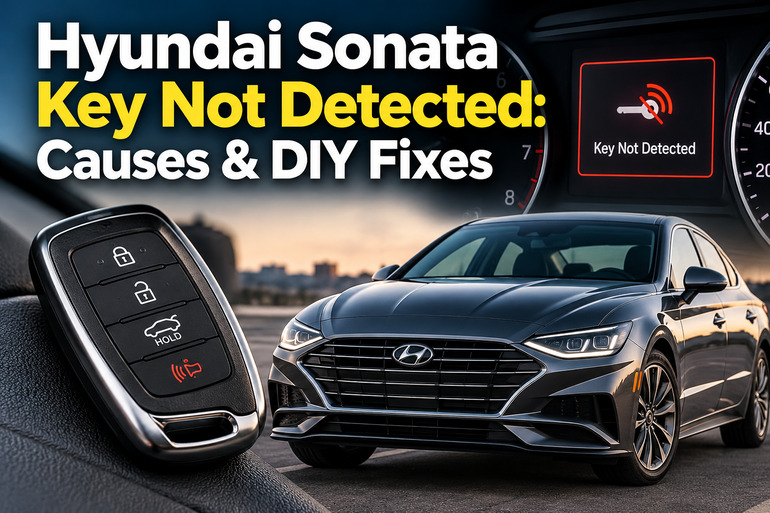
What Does “Key Not Detected” Mean on a Hyundai Sonata?
The “Key not detected” message means your Sonata cannot recognize the smart key when you press the Start/Stop button. Vehicles equipped with a smart key system use electronic communication to verify that an authorized key is present before allowing the engine to start. If the car cannot establish that connection, it may prevent starting even when the key is physically inside the cabin.
A weak key fob battery is one possible explanation. The battery powers the fob’s remote functions, and reduced power can interfere with normal operation. However, a dead battery is not the only reason the vehicle might fail to recognize the key. Radio interference, a weak vehicle battery, or a damaged key can produce similar symptoms.
You might notice that the remote buttons work intermittently, the dashboard displays a warning, or the engine refuses to start despite pressing the button several times. In some cases, the doors unlock normally, but the vehicle still fails to recognize the key for starting. This distinction is useful because different parts of the smart key system can behave differently when a fault develops.
Hyundai provides an emergency starting procedure for equipped smart key models. Depending on your Sonata’s model year and configuration, you may need to place the fob at a designated emergency recognition point or press the Start/Stop button with the fob. The exact procedure appears in the vehicle’s owner’s manual, which also explains relevant instrument cluster warnings and when dealer inspection is necessary.
Hyundai Sonata Key Not Detected: Likely Causes
Several faults can prevent your Sonata from recognizing its smart key. The symptoms can help you narrow down the possibilities before spending money on replacement parts.
1. A Weak or Dead Key Fob Battery
The key fob contains a small coin cell that supplies power to its electronic components. As the battery loses capacity, the remote’s signal may become weaker or its functions may stop working altogether. A low battery can also trigger a warning on the instrument cluster in some Sonata models.
You might notice that you need to stand closer to the car to lock or unlock the doors. The buttons may respond inconsistently, or the vehicle may stop recognizing the fob after it previously worked without difficulty. These symptoms make a weak battery a reasonable first suspect, particularly when the problem develops gradually.
A completely depleted battery may prevent the usual remote functions from working. However, some smart key systems retain an emergency recognition method that allows the vehicle to start even when the fob battery is dead. Therefore, a failed remote button does not automatically mean you need a new key.
2. Signal Interference or Poor Key Placement
Your Sonata’s smart key communicates electronically with the vehicle. Nearby electronic devices, radio transmitters, and other sources of interference can disrupt that communication. Hyundai also warns that keeping a smart key close to an active mobile phone may interfere with normal operation.
The key’s position can contribute to the problem. A fob buried in a bag, placed beside electronic equipment, or surrounded by objects that obstruct its signal may be harder for the vehicle to recognize. Metallic window tint can also reduce smart key operating range on some vehicles.
This type of fault may appear suddenly even when the key battery is relatively new. If the car recognizes the key after you move it away from your phone or other electronic devices, interference becomes a more likely explanation than a failed key.
3. A Weak or Discharged Vehicle Battery
Your Sonata’s 12 volt battery supplies electrical power to many vehicle systems, including the electronics involved in starting the engine. If its voltage drops too low, the smart key system and other electronic components may not operate correctly.
This issue can develop after the car has been parked for a long period, the headlights have been left on, or an electrical accessory has continued drawing power while the engine was off. An aging battery or a charging system fault can also leave the battery insufficiently charged.
Look for other symptoms alongside the key warning. Dim dashboard lights, flickering displays, repeated clicking, or several unrelated warning lights appearing together may indicate a vehicle battery problem. If the dashboard remains completely dark, a broader electrical supply fault is also possible. A battery test is more reliable than assuming the key fob is responsible.
4. A Damaged or Unrecognized Smart Key
The key fob can develop an internal fault after being dropped, exposed to moisture, or subjected to excessive heat. Damage to its internal electronics may prevent it from transmitting the signal required by the vehicle.
Another possibility is a key that the vehicle does not recognize as authorized. This can occur with an incorrectly programmed replacement key or after certain key system repairs. The security system is intended to prevent unauthorized starting, so a key that is not properly registered may fail even when its battery is good.
A spare key provides a useful diagnostic comparison. If the spare works consistently while the original does not, the original fob is a stronger suspect. If neither key works, investigate the vehicle’s battery, signal environment, and smart key system before purchasing a replacement fob.
5. A Fault in the Vehicle’s Smart Key Recognition System
Your Sonata uses vehicle side electronics and antennas to detect the smart key. A problem with an antenna, receiver, wiring connection, or related control module can prevent the car from recognizing an otherwise functional fob.
This becomes more likely when both the original key and a known working spare produce the same warning. The problem may also persist after you install the correct new fob battery and move away from possible sources of interference.
A smart key system fault requires proper diagnosis. The dashboard warning alone cannot identify the failed component, and replacing an antenna or control module without testing can lead to unnecessary expense. A technician can read fault codes and test the relevant circuits to establish what is preventing recognition.
Hyundai Sonata Key Not Detected: How to Fix
Start with the simplest checks before paying for a replacement key or electronic repair. These methods address common causes while helping you identify when the problem requires further diagnosis.
1. Confirm the Key Is Inside the Vehicle and Try Again
First, make sure the correct smart key is inside the cabin. If you carry several keys, check that you have the one registered to your Sonata. Move the fob away from bags, storage compartments, or other places where its signal might be obstructed.
Next, place the transmission in Park (P) and press the brake pedal firmly. Then press the Start/Stop button once, following the normal starting procedure. Hyundai specifies that the brake pedal should be depressed before starting the engine in applicable push button models.
If the display says “Press START button again,” follow the instruction and retry once. Repeatedly pressing the button without checking the conditions may not help. If the warning immediately returns, move on to the next checks rather than assuming the starter motor has failed.
2. Remove Potential Sources of Signal Interference
Move your smart key away from your mobile phone and other electronic devices. If the key is inside a handbag, take it out and hold it separately while attempting to start the vehicle. Also remove other electronic accessories from the immediate area if they could be interfering with the signal.
Try starting the car in a different location if the problem occurs only in a particular parking area. Strong radio signals or nearby electronic equipment may interfere with smart key communication in some circumstances.
If the vehicle recognizes the key after you change its position or move away from the suspected interference source, the problem may have been environmental. If the message remains, continue with the battery and emergency starting checks.
3. Replace the Smart Key Battery
Replacing the coin cell is a sensible next step when the remote works intermittently, its operating range has decreased, or the vehicle has displayed a low key battery warning. The process is generally straightforward, but the correct battery type and opening method depend on the fob fitted to your Sonata.
Follow these steps.
-
Check your owner’s manual or inspect the existing battery to identify the correct replacement type.
-
Remove the mechanical key if your fob has one.
-
Use the appropriate slim tool to open the fob’s cover carefully, following the manual’s instructions.
-
Remove the old battery and install the new one with the polarity positioned correctly.
-
Reassemble the fob and test its buttons before attempting to start the car again.
Do not assume every Sonata uses the same coin cell. For example, some 2021 Sonata N Line smart keys use a CR2032 battery, but other key versions may differ. Check the specification for your exact vehicle and fob.
Button batteries can cause severe injuries if swallowed, particularly by children. Keep the old and new batteries out of their reach and dispose of used cells appropriately.
If the remote begins working normally after replacement but the vehicle still displays “Key not detected,” the problem may involve signal interference or the vehicle’s recognition system instead.
4. Use the Emergency Smart Key Starting Procedure
If your key fob battery is dead, you may still be able to start your Sonata using its emergency recognition method. Hyundai provides this feature on equipped smart key models so the vehicle can recognize the key under certain conditions even when its normal remote function is unavailable.
First, read the instructions for your specific model year. Depending on the design, you may need to hold the fob directly against the Start/Stop button or place it in a marked emergency recognition position in the center console. Do not assume the emergency location is identical across every Sonata generation.
Once the fob is in the specified position, place the transmission in Park, depress the brake pedal, and follow the starting instructions in the owner’s manual. If the engine starts, replace the fob battery as soon as practical and test the remote functions again.
Successful emergency starting suggests that the vehicle can recognize the key through its backup method. It does not prove that the fob’s battery is the only fault, especially if the warning returns after a new battery is installed.
5. Check for Signs of a Weak Vehicle Battery
Observe the dashboard and interior lights when you attempt to start the car. If the lights are unusually dim, the display resets, or you hear clicking while the engine refuses to start, the 12 volt vehicle battery may be discharged or failing.
A battery that appears normal is not necessarily healthy. Its voltage may be sufficient to illuminate the dashboard but fall too low when the vehicle attempts to start. A battery test can help distinguish this condition from a key recognition fault.
If you suspect a discharged battery, arrange a battery test or roadside assistance. Jump starting may be appropriate when the battery is discharged, but use the procedure specified in your Sonata’s owner’s manual and seek professional help if you are unfamiliar with the connections or notice battery damage. Never attempt to jump start a swollen, leaking, or visibly damaged battery.
If the vehicle battery tests healthy and the key warning remains, further testing of the smart key system is more appropriate than repeatedly charging or replacing the battery.
6. Contact a Qualified Automotive Technician
If none of the preceding steps works, have your Sonata inspected by an authorized Hyundai dealer or a qualified automotive technician familiar with Hyundai smart key systems. This is especially important if the message appears every time you press the Start/Stop button, both registered keys fail, or the dashboard displays an additional smart key system warning.
The technician can test the vehicle battery, check the fob’s operation, inspect relevant electrical connections, and use diagnostic equipment to read system fault codes. These checks help identify whether the problem lies with the key, an antenna, the receiver, or another part of the vehicle’s electronics.
Avoid purchasing an expensive replacement fob before the fault has been identified. A replacement may require programming, and it will not resolve a failed vehicle side antenna or a discharged 12 volt battery. If the car cannot be started safely, roadside assistance or towing is preferable to repeatedly attempting to start it.
Wrap-Up
A “Key not detected” warning on your Hyundai Sonata can result from a weak key fob battery, signal interference, a discharged vehicle battery, a damaged key, or a fault in the smart key recognition system. Starting with the key’s position and battery can help you rule out straightforward problems before seeking repairs.
Use your Sonata’s model specific emergency starting procedure if the fob is not being recognized, and compare the results with a spare key when one is available. If the warning persists after these checks, arrange a proper diagnosis rather than replacing parts based on guesswork.