
The “Key Not Detected” warning on your Hyundai Kona can prevent you from starting the vehicle, even when your smart key is inside the cabin. Sometimes, the cause is a weak key fob battery or electronic interference. In other cases, the issue may involve the vehicle’s battery or keyless entry system. Identifying the source of the warning helps you choose the right fix, avoid unnecessary replacement costs, and get your Kona running again.
What the Hyundai Kona Key Not Detected Warning Means
Your Hyundai Kona uses a smart key system that allows you to unlock the doors and start the vehicle without inserting a traditional key into an ignition cylinder. The system communicates electronically with the key fob to confirm that an authorized key is present before allowing the engine or vehicle power system to start.
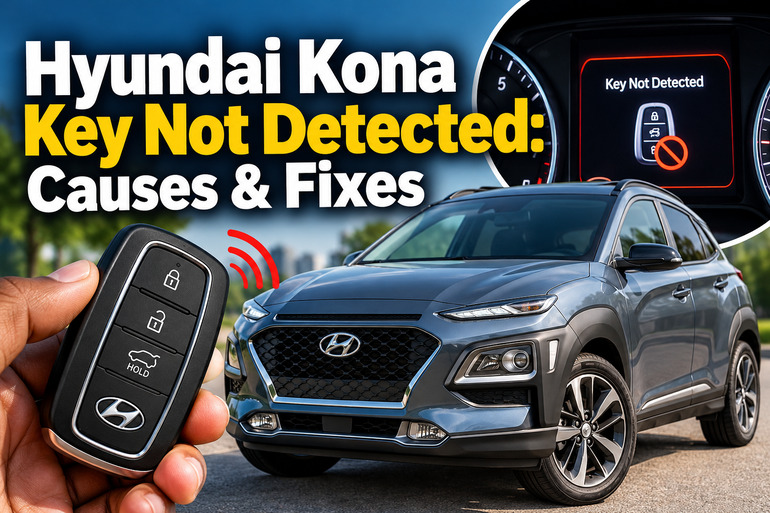
When the instrument cluster displays “Key Not Detected,” the vehicle hasn’t successfully recognized the smart key during the starting process. Hyundai’s owner’s manual identifies this message as a failure to detect the smart key when you press the Start/Stop button. It also describes a procedure for attempting to start the vehicle by pressing the button with the key itself.
The symptoms can vary. Your Kona might refuse to start, the remote buttons might stop responding, or the vehicle might recognize the key intermittently. In some cases, the remote can unlock the doors while the push-button starting system still fails to recognize the key. These symptoms help narrow down the possible causes, although they don’t confirm a particular fault on their own.
A single warning doesn’t automatically mean you need a new key or an expensive electronic repair. Begin with simple checks, such as moving the key away from your phone and trying the spare key. If the warning keeps returning after these checks, the vehicle may need a more detailed electrical diagnosis.
Hyundai Kona Key Not Detected: Likely Causes
Several faults can prevent your Kona from recognizing its smart key. The following are the most relevant possibilities, starting with problems you can often resolve without professional assistance.
1. A Weak or Dead Key Fob Battery
The key fob uses a small battery to power its remote control functions. As the battery weakens, the remote’s operating range may decrease, and the vehicle may struggle to recognize the key consistently.
You might notice that you need to stand closer to the vehicle to unlock it, or that the remote works sometimes but fails at other times. A low key battery warning on the instrument cluster is another useful clue. Hyundai’s owner’s manuals instruct drivers to replace the smart key battery when its charge becomes insufficient.
However, a working remote doesn’t completely rule out a weak battery. The remote locking function and the system used to authorize starting have different operating requirements, so the symptoms may not always appear together.
The required replacement battery also depends on the specific key design. For example, some older Kona models use a CR2032 battery, while certain newer Kona Electric models use a CR2450. Check your vehicle’s owner’s manual or the marking on the original battery before purchasing a replacement.
2. Signal Interference From Nearby Electronics
Your smart key communicates with the vehicle wirelessly. Certain nearby electronic devices or radio transmitters can interfere with that communication, making it harder for the vehicle to recognize the key.
A mobile phone is worth checking first, particularly when the key and phone are pressed together in the same pocket or bag. Hyundai warns that signals from a nearby mobile phone may interfere with smart key operation. Radio transmitters and other electronic devices can also affect communication.
Interference is a likely possibility if your Kona recognizes the key normally in one location but produces the warning somewhere else. The fault may disappear after you move the key away from your phone or other electronics.
Metal objects and certain electromagnetic shielding materials can also affect the key’s signal. If you use a thick metal key holder or carry several keys together, try removing the smart key from the bunch temporarily and testing it separately.
3. A Damaged or Faulty Smart Key
A smart key can develop an internal fault after being dropped, crushed, exposed to moisture, or subjected to excessive heat. Damage to its electronic components can interrupt communication with the vehicle even when the battery is relatively new.
The warning may appear shortly after the key has been dropped or exposed to water. You may also notice that the buttons stop working, the indicator on the fob no longer responds as expected, or the key works inconsistently despite having a fresh battery.
A damaged key may need repair or replacement, but changing the battery alone won’t resolve every internal fault. Hyundai recommends contacting an authorized dealer if the smart key is damaged or continues to malfunction.
Testing your spare key is particularly useful here. If the spare works normally while the primary key repeatedly produces the warning, the fault is more likely to be associated with the primary fob. If both keys fail under the same conditions, investigate the vehicle as well.
4. A Weak or Discharged 12-Volt Vehicle Battery
The vehicle’s 12-volt battery supplies power to many electrical systems, including the control modules responsible for functions such as starting authorization. Even if your Kona uses a high-voltage battery for propulsion, its low-voltage electrical system still plays an important role.
A weak 12-volt battery can cause several electrical functions to behave abnormally. You might notice dim dashboard lights, slow or unsuccessful starting, repeated warning messages, clicking sounds, or difficulty operating the locks and other electrical accessories.
This possibility becomes more likely when the key warning appears alongside several unrelated electrical symptoms. A vehicle that has been parked for a long time or has repeatedly struggled to start may also need its 12-volt battery tested.
A key detection warning doesn’t prove that the vehicle battery is defective. Have the battery and charging system tested before replacing either component. Do not attempt high-voltage battery work on a Kona Electric yourself.
5. A Fault in the Keyless Entry or Starting System
If both smart keys fail, their batteries are sound, and moving the keys away from electronics makes no difference, a fault in the vehicle’s key detection system becomes a stronger possibility.
Depending on the model and year, the system may include interior antennas, a smart key control unit, wiring, the immobilizer, and associated electronic control modules. A fault in any relevant component or its electrical connections may prevent the vehicle from recognizing a valid key.
The immobilizer is the security system that helps prevent unauthorized starting. If the vehicle cannot validate the key correctly, it may refuse to start. An immobilizer warning can indicate a problem recognizing the key’s coding, and persistent recognition problems may require dealer assistance.
This type of fault generally requires diagnostic equipment and model-specific testing. Replacing the smart key, a control module, or an antenna without confirming the fault can waste money and may introduce additional programming requirements.
Hyundai Kona Key Not Detected: How to Fix
Start with the simplest checks before purchasing replacement parts. The following methods help you determine whether the issue is caused by the smart key, signal interference, a starting condition, or a fault that needs professional diagnosis.
1. Move the Key Away From Your Phone and Other Electronics
Begin by removing possible sources of signal interference. Take the smart key out of your pocket or bag and separate it from your mobile phone, wireless accessories, and other electronic devices.
Next, sit in the driver’s seat with the key on its own. Make sure the vehicle is stationary, the transmission is in Park, and the parking brake is applied where appropriate. Follow the normal starting procedure for your Kona.
If the warning disappears, repeat the test without placing the key beside the suspected electronic device. A consistent improvement when the key is separated from nearby electronics suggests interference may have contributed to the issue.
You can also test the key in another location if the warning occurs only in a particular place. However, if the warning continues regardless of location, move on to the next check rather than assuming interference is responsible.
2. Start the Kona Using the Smart Key Directly
Hyundai provides an emergency starting method for certain smart key detection problems. Instead of carrying the key in your pocket and pressing the Start/Stop button normally, use the key itself to operate the button.
Follow these steps.
-
Bring the smart key into the cabin and make sure the vehicle is stationary.
-
Confirm that the transmission is in Park.
-
Depress the brake pedal as required for starting.
-
Press the Engine Start/Stop button directly with the smart key, following the instructions in your vehicle’s owner’s manual.
The procedure allows the vehicle to attempt to recognize the key at close range when ordinary wireless detection fails.
The exact procedure and any designated emergency key detection position can differ across Kona model years and versions. Consult your owner’s manual if touching the button with the fob doesn’t work. Don’t assume every Kona has the same backup reader location.
If the vehicle starts successfully, the normal wireless detection function or key fob battery may be the issue. Treat this as a temporary way to start the vehicle, not proof that the underlying fault has been permanently fixed.
3. Replace the Smart Key Battery
If the remote has a reduced operating range or the instrument cluster displays a low key battery message, replacing the battery is a sensible next step.
First, check the owner’s manual for your particular Kona and identify the correct battery type. Have the replacement ready before opening the fob, because the internal layout and cover design can vary.
On many smart keys, the process involves removing the mechanical key, carefully opening the rear cover with a suitable slim tool, removing the old battery, inserting the replacement in the correct orientation, and reinstalling the cover.
Avoid forcing the cover open, bending the metal contacts, or touching the battery surfaces unnecessarily. Make sure the positive and negative sides are positioned correctly. Incorrect installation can prevent the remote from working.
Button batteries can cause severe injury if swallowed. Keep replacement and used batteries away from children and dispose of the old battery safely.
After replacing the battery, test the lock and unlock buttons and try starting the vehicle again. If the warning remains, check the installation and battery type before considering other faults.
4. Try Your Spare Smart Key
A spare key provides a straightforward way to separate a key-related fault from a possible vehicle-side issue.
Move the original key well away from the vehicle, then bring the spare into the cabin and try the normal starting procedure. If the spare key starts your Kona reliably but the original one doesn’t, the primary fob may have a depleted battery, internal damage, or a coding-related issue.
If neither key is recognized, avoid immediately purchasing two replacement fobs. The problem could be related to the vehicle’s 12-volt battery, signal detection hardware, immobilizer, or starting system.
If you don’t have a spare, you can still try the battery replacement and emergency starting procedure. Persistent faults will require further diagnosis.
5. Check the Vehicle’s Battery and Starting Conditions
Pay attention to the other symptoms displayed alongside the key warning. If the dashboard lights are unusually dim, multiple electrical warnings appear, or the vehicle fails to power up normally, arrange a test of the 12-volt battery.
A qualified technician can check its condition, terminal connections, and charging system. If the battery is discharged, the appropriate remedy may be charging, repairing a connection, or replacing the battery after its condition has been confirmed.
Also, confirm that the transmission is in Park and that you’re following the specified brake pedal starting procedure. A message such as “Press brake pedal to start vehicle” points to a different starting condition from “Key Not Detected.” Treat each warning according to its specific meaning.
Avoid replacing fuses or disconnecting electrical components at random. If the cluster displays a brake switch, steering lock, immobilizer, or other system warning, use the instructions for that particular message instead of treating every starting failure as a key battery problem.
6. Contact a Qualified Hyundai Technician
Professional diagnosis is appropriate when the preceding checks don’t restore normal operation. It is especially necessary if both keys fail, the warning returns immediately after a battery replacement, or other electrical and security warnings appear.
A technician can scan the vehicle for diagnostic trouble codes, test the 12-volt power supply, check the smart key detection system, and inspect the relevant wiring, antennas, and control modules. The results can help identify the defective component before parts are ordered.
If a replacement or newly programmed key is required, use a qualified automotive locksmith with the appropriate equipment or an authorized Hyundai service center. Key programming and immobilizer procedures depend on the vehicle, and incorrect work can leave the vehicle unable to start.
If you’re stranded and the car won’t start, arrange roadside assistance or recovery rather than repeatedly attempting to start it. On a Kona Electric, leave high-voltage electrical system repairs to appropriately trained technicians.
Wrap-Up
A Hyundai Kona displaying “Key Not Detected” may have a weak key fob battery, signal interference, a damaged smart key, a weak 12-volt battery, or a fault in the vehicle’s electronic detection system. Start by separating the key from nearby electronics, using the emergency starting procedure in your owner’s manual, and testing the spare key.
If these checks don’t resolve the warning, professional diagnosis can help prevent unnecessary parts replacement. Pay attention to additional dashboard messages, since they can reveal whether the problem extends beyond the smart key itself.