
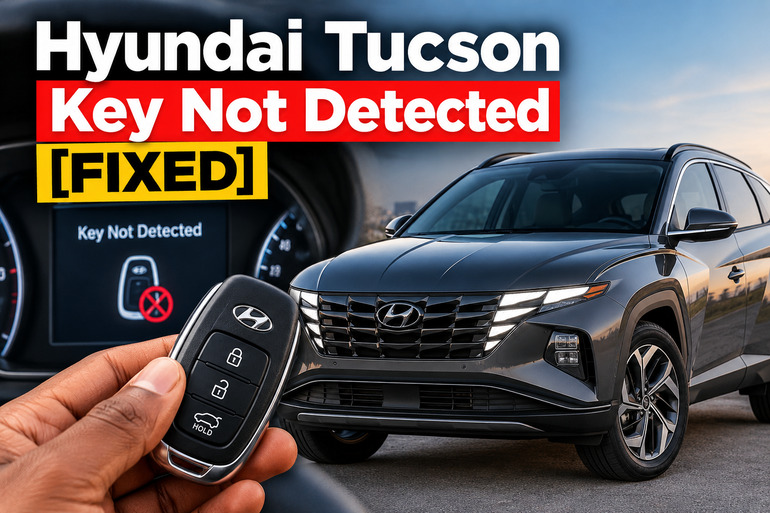
When your Hyundai Tucson displays “Key not detected,” the engine may refuse to start even when the smart key is sitting in your pocket or beside the gear selector. The message means the vehicle isn’t receiving or recognizing the signal it expects from the key. A weak fob battery is a common possibility, although signal interference, a damaged key, or a fault in the vehicle’s detection system can cause similar trouble. A few simple checks can help you identify the likely cause.
What the Hyundai Tucson Key Not Detected Warning Means
Your Hyundai Tucson’s smart key system allows you to unlock the doors and start the engine without inserting a conventional key into an ignition barrel. The key fob transmits a coded electronic signal that the vehicle’s receiver and security system use to confirm that an authorized key is present.
When the system fails to recognize that signal, the instrument cluster may display “Key not detected” or a related warning. Depending on the model year, the dashboard may also instruct you to press the engine start button with the key. The immobilizer indicator may blink when the vehicle cannot recognize an authorized key.
The symptoms can vary. Your Tucson might unlock with the remote but refuse to start, or neither the lock buttons nor the ignition system may respond. Sometimes the vehicle starts after you move the key closer to the dashboard. These differences help narrow down the possible fault.
The warning doesn’t automatically mean your key is permanently damaged. A temporary signal obstruction or weak battery may be enough to trigger it. However, if the message appears every time you attempt to start the vehicle, the receiver, immobilizer, or another part of the smart key system may require professional diagnosis.
Hyundai Tucson Key Not Detected [FIXED]: Likely Causes
Several faults can prevent your Tucson from recognizing its smart key. Start with the simple possibilities before assuming that an electronic component has failed.
1. A Weak or Dead Key Fob Battery
A weak fob battery is one of the first things to investigate when your Tucson displays the warning. The battery powers the remote’s electronic functions, and insufficient power can interfere with normal operation.
You may notice that the remote buttons work only when you’re close to the vehicle, the doors don’t respond consistently, or the dashboard displays a low key battery warning. In some cases, the fob stops responding altogether.
The symptoms depend on the fob and vehicle design. A weak battery doesn’t always prevent the vehicle from detecting the key because some smart key systems have an emergency starting method that can recognize the fob even when its battery is weak. If your Tucson starts when you press the start button with the fob, a weak battery becomes a stronger possibility.
2. Signal Interference or Incorrect Key Position
The smart key needs to communicate with the vehicle’s electronic system. Radio interference or an obstruction can disrupt this communication even when the fob battery is healthy.
Keeping the key beside an actively used mobile phone can interfere with normal operation. Nearby radio transmitters, objects that block electromagnetic signals, and certain other conditions may also affect key operation. Very cold weather can affect normal remote performance as well.
The key’s position inside the cabin matters, too. If it’s buried beneath other belongings or sitting far from the driver, your Tucson may struggle to recognize it. Moving it close to the driver and away from electronic devices helps you determine whether the fault is related to signal reception.
3. A Damaged or Defective Smart Key
A smart key can develop an internal fault following a hard drop, exposure to liquid, or physical damage. The outer casing may appear intact even when the circuit board or electrical connections inside have been affected.
This possibility becomes more likely if the problem began after the key was dropped, exposed to moisture, or damaged during a battery replacement. Buttons may stop working, the remote may behave inconsistently, or the vehicle may fail to recognize the fob even when it’s held close to the start button.
A spare key provides a useful comparison. If the spare works reliably while the original repeatedly triggers the warning, the original fob is a likely source of the problem. However, if neither key works, the fault may lie with the vehicle rather than both keys failing at the same time.
4. A Weak Vehicle Battery or Electrical Supply Problem
Your Tucson’s 12-volt battery supplies power to the electronic systems required to start the vehicle. If its charge is low or an electrical connection is poor, several systems may behave abnormally.
A weak vehicle battery is worth investigating if the dashboard lights are dim, the instrument cluster resets, the locks operate slowly, or you hear rapid clicking when attempting to start the engine. These signs suggest a broader electrical problem rather than an isolated smart key issue.
A low vehicle battery doesn’t establish that the key detection system has failed. It may simply prevent the vehicle from completing its starting sequence. If the dashboard remains completely dark or several electrical functions fail simultaneously, check the vehicle’s power supply before replacing the key fob or ordering electronic parts.
5. A Fault in the Smart Key Receiver or Immobilizer System
If both keys fail to work, their batteries are in good condition, and moving them closer to the start button makes no difference, the vehicle’s smart key system may have a fault.
The system depends on electronic components that communicate with the key and verify its authorization. A faulty receiver, antenna, wiring connection, or immobilizer-related component can prevent that process from completing. An electronic control module fault is another possibility, although it shouldn’t be assumed without testing.
A warning that returns every time you press the start button is a strong reason to seek diagnostic assistance. A technician can read diagnostic trouble codes and test the system to identify the component responsible.
Hyundai Tucson Key Not Detected [FIXED]: How to Fix
You can try several basic checks before arranging a repair. Work through them in order, beginning with the least complicated methods, and stop if the symptoms point to a wider electrical fault.
1. Move the Smart Key Away From Potential Interference
Start by moving the key away from your phone, wireless accessories, and other electronic devices. Remove it from a bag containing multiple gadgets, then hold it in your hand inside the cabin.
Place the fob close to the driver’s position and attempt to start the vehicle again. For an automatic Tucson, select Park, apply the parking brake, and press the brake pedal before using the engine start button. A manual transmission model may require the clutch pedal as well, depending on its configuration.
If the engine starts, the problem may have been related to signal interference or the key’s position. Repeat the test with the key in a different location to see whether the result is consistent. If the warning remains, continue with the next check rather than repeatedly pressing the start button.
2. Use the Emergency Starting Method
Your Tucson may still recognize a smart key whose battery is weak or whose normal operation has been disrupted. Many push-button models provide an emergency starting method that uses the key fob directly against the engine start button.
Follow these steps where your owner’s manual specifies this method.
-
Make sure the vehicle is safely stationary.
-
Put the transmission in Park and apply the parking brake.
-
Hold the smart key directly against the Engine Start/Stop button.
-
Depress the brake pedal, or the brake and clutch pedals as appropriate for your transmission.
-
Press the start button while keeping the fob against it.
The precise procedure and contact position can differ by model year and market, so consult the instructions for your particular Tucson.
If the engine starts this way, the vehicle’s emergency detection method is working, and a weak key battery or problem with the fob’s normal signal becomes more plausible. Replace the battery or arrange a key inspection as appropriate. If the vehicle still doesn’t recognize the key, try the next step.
3. Replace the Key Fob Battery
If the remote has become unreliable or the dashboard displays a low key battery warning, replacing the fob battery is a sensible next step.
First, check the battery specification in your owner’s manual. Do not assume every Hyundai Tucson uses the same battery. Some newer Tucson remote keys use a CR2032 battery, but the correct type can vary with the key design and model year.
To replace it safely:
-
Obtain the exact battery specified for your fob.
-
Remove the mechanical key if your design requires it to access the casing.
-
Open the cover gently using the method described in the manual.
-
Remove the old battery and install the replacement in the correct orientation.
-
Reassemble the fob and test its buttons and starting function.
Avoid forcing the casing open because the plastic clips or internal components may break. Make sure the battery polarity is correct before closing the fob. Keep button batteries away from children, since swallowing one can cause severe internal injuries.
After replacing the battery, check whether the remote locks and unlocks the doors normally and whether the engine starts without displaying the warning. If the problem continues, the fob or vehicle may have another fault.
4. Try the Spare Smart Key
Testing the spare is a straightforward way to distinguish a key problem from a vehicle problem. Keep the original key away from the cabin during this test so the vehicle doesn’t attempt to recognize both keys at the same time.
Use the spare to unlock the doors and start the engine normally. If the spare works consistently, the original key may have a depleted battery, damaged electronics, or another fault. Replacing its battery is a reasonable first step if you haven’t already done so.
If both keys produce the same warning, stop spending money on replacement batteries without further evidence. The problem may involve the vehicle’s receiver, antenna, immobilizer, electrical supply, or another part of the starting system. A professional diagnostic test can help pinpoint the fault.
5. Check the Vehicle Battery and Starting Conditions
A smart key warning can appear alongside other starting problems, so pay attention to what happens when you attempt to start the engine.
Make sure the gear selector is in Park on an automatic model, or that the transmission is in the correct starting position on a manual model. Depress the required pedal fully before pressing the start button. A message instructing you to press the brake or clutch indicates that the vehicle may not be receiving the required starting input.
Observe the dashboard lights as well. If the lights are unusually dim, the instrument cluster flickers, or the electrical systems fail to respond normally, have the 12-volt battery and its connections tested. Do not assume the vehicle battery is at fault simply because the key warning appears.
Avoid disconnecting the battery or pulling random fuses in an attempt to reset the system. Doing so may create additional electrical issues or erase useful diagnostic information. If the vehicle has no electrical power or requires battery testing that you cannot perform safely, contact a qualified technician or roadside assistance service.
6. Contact a Qualified Automotive Technician
Professional diagnosis is necessary if your Tucson continues to display “Key not detected” after you have tried the relevant basic checks. This is especially important if both keys fail, the immobilizer warning persists, or the dashboard repeatedly reports a smart key system problem.
A technician can test the fobs, check the vehicle’s battery and electrical connections, scan the electronic control systems for diagnostic trouble codes, and examine the relevant receiver and antenna circuits. This approach helps distinguish a defective key from a vehicle-side fault.
If a replacement key is needed, it may also require programming to the vehicle’s security system. Avoid purchasing a new fob before confirming compatibility with your model year and market. If the vehicle is stranded, arrange roadside assistance or a suitable recovery service rather than attempting to bypass the immobilizer or force the engine to start.
Wrap-Up
A Hyundai Tucson key not detected warning commonly points to a problem with key communication. A weak fob battery, signal interference, a damaged key, or an electrical or electronic fault can all produce starting difficulties. The most useful first steps are to move the key away from electronic devices, try the model-specific emergency starting method, and test the spare fob if available.
Pay attention to how the vehicle responds during each test. If the warning persists or both keys fail, arrange a proper diagnostic inspection rather than replacing parts without evidence. An accurate diagnosis helps you avoid unnecessary expenses and get your Tucson starting reliably again.