
An ultrasonic sensor warning on your Kia EV6 can make parking feel uncertain, especially when the familiar beeps become unreliable or disappear. However, the message doesn’t automatically mean a sensor needs replacement. Dirt, frozen moisture, nearby accessories, and physical damage can all affect the system.
The useful starting point is to separate a temporary blockage from a fault that needs repair. Gentle cleaning and a careful visual check can help you decide what to do next without taking the bumper apart.
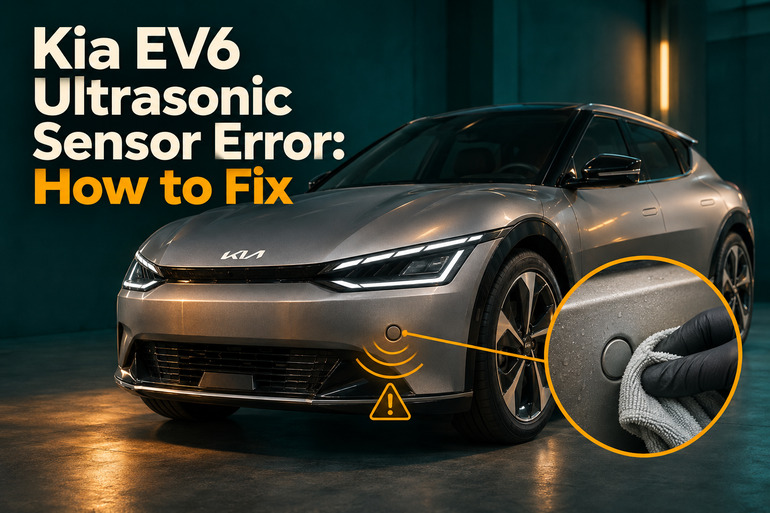
What the Ultrasonic Sensor Error Means
Your EV6 uses ultrasonic sensors to help detect nearby objects during parking. They send out sound signals and use the returning signals to calculate distance. Parking Distance Warning then provides visual alerts and warning sounds. Sensor locations and available parking functions vary by model year and equipment, so use your owner’s manual to identify your vehicle’s layout.
Depending on your EV6, the display may show “Ultrasonic sensor error or blockage” or a message stating that driver assistance is limited because an ultrasonic sensor is blocked. Other versions distinguish a blockage warning from “Check Driver Assistance system.” Record the exact wording because these messages provide useful context for diagnosis.
A warning can accompany missing alerts, unexpected beeping, or unreliable distance indications. However, ordinary parking beeps also become more frequent as an object gets closer. The important distinction is whether the alerts match your surroundings and whether a fault message appears. Silence by itself doesn’t identify a failed sensor.
Until the issue is resolved, check your surroundings directly and leave extra clearance. Don’t use a person standing behind the vehicle to test detection. If the warning appears with abnormal braking, steering trouble, or collision damage that makes the vehicle unsafe, stop driving and arrange qualified assistance.
Kia EV6 Ultrasonic Sensor Error: Common Causes
Several conditions can interfere with the parking sensors, and the warning alone doesn’t identify which one applies. The circumstances in which it appears can help you narrow the possibilities.
1. Dirt, Snow, or Frozen Moisture
A layer of contamination on a sensor can interfere with its ability to detect nearby objects. Kia lists snow, water, and frozen moisture among the conditions that can prevent normal Parking Distance Warning operation. A warning after snowy weather therefore deserves a surface check before you assume a component has failed.
Look closely rather than judging the whole bumper from a distance. A bumper can appear reasonably clean while individual sensor faces still have visible deposits. Check the affected area shown on the display, if available, and compare it with the other sensors.
If the warning clears after the obstruction is removed, that supports a temporary blockage as the explanation. However, repeated warnings when the sensors are clean and dry call for further diagnosis. Keep a note of whether the same area is identified each time.
2. Weather and Outside Interference
Unexpected beeping during heavy rain doesn’t necessarily indicate permanent sensor damage. Kia identifies heavy rain, flowing water, extreme temperatures, and interference from other vehicles’ sensors as possible limitations. Nearby equipment that produces ultrasonic signals can also affect operation.
The pattern matters. An alert that occurs beside one vehicle and disappears after you move away suggests a different situation from a warning that returns in an empty driveway. These observations can guide diagnosis, although they don’t prove which component or outside condition caused the alert.
3. Accessories or Changes Around the Sensors
Consider anything added or changed shortly before the problem started. Kia warns that accessories near the sensors, a license plate installed away from its original position, and changes to sensor installation or bumper height can interfere with parking detection.
For example, if the warning began immediately after an accessory installation, document that timing before arranging repairs. An installer can check whether the accessory obstructs a sensor or affects its surroundings. Avoid assuming that an accessory is suitable simply because it fits the vehicle mechanically.
4. Sensor Damage or Disturbed Installation
A small mark on a sensor can matter even when the surrounding bumper looks sound. Kia’s technical guidance explains that stone chips and other external damage can harm the sensor’s detection surface. Damage to its cover can also affect internal circuitry, producing false warnings or missing alerts.
This possibility deserves attention after a bumper impact or recent body repair. Look for a cracked sensor face, a sensor sitting noticeably differently from its neighbors, or damage around its opening. Treat those observations as reasons for inspection rather than proof that a particular part needs replacement.
A clean surface doesn’t rule out a fault. If the message persists without an obvious obstruction, a technician needs to establish why the system isn’t operating correctly. Replacing a sensor based only on the dashboard message can leave the actual problem unresolved.
Kia EV6 Ultrasonic Sensor Error: DIY Fixes
Start with checks that help identify the problem without disturbing the sensors. If you find damage or the warning persists after these checks, arrange professional diagnosis.
1. Record the Warning and Inspect the Sensor Areas
Park on level ground, select Park, apply the parking brake, and switch the vehicle off before walking around it. Photograph the warning beforehand while safely stationary. Include the full message and any diagram showing the affected direction.
Next, use your owner’s manual to locate the ultrasonic sensors. Inspect their exposed faces in good light. A flashlight can help you spot contamination or damage without pressing against the surface.
On some EV6 versions, the cluster’s service message display provides information about the affected sensor area. Use that information to focus your inspection, but don’t treat a directional symbol as a confirmed diagnosis of one specific sensor. Message layouts and available details vary.
2. Clean the Sensors Gently
Use a clean, soft cloth to remove loose contamination from the sensor faces. Work gently, and avoid dragging grit across the surface. Kia specifically recommends a soft cloth for removing contamination that can interfere with ultrasonic sensor operation.
For stubborn dirt, dampen the cloth with clean water and soften the deposit before wiping it away. Don’t use a scraper, abrasive pad, or sharp tool. Avoid pressing on a sensor to see whether it moves.
Also, keep a pressure washer’s concentrated spray away from the sensors and their surrounding areas. Once the surfaces are clean, gently remove remaining moisture and check operation during your next normal use. Cleaning may resolve a blockage, but it won’t repair a damaged sensor.
3. Allow Ice and Temporary Conditions to Clear
If moisture has frozen onto the sensors, let it thaw naturally in a suitable sheltered location. Don’t chip away the ice or apply concentrated heat. The goal is to remove the obstruction without damaging the sensor face. Kia notes that normal operation can return after frozen moisture melts.
Likewise, if the issue appeared during heavy spray or severe weather, reassess once conditions improve and the sensor surfaces are clear. There’s no useful universal waiting time because the weather and amount of moisture differ.
Afterward, start the vehicle normally and note whether the warning returns. Treat this as a check of the current condition. Repeatedly switching the vehicle off and on doesn’t establish that the underlying cause has been repaired.
4. Check Recent Accessories and Bumper Work
Review any changes made shortly before the first warning. These might include an accessory fitted near a sensor, a relocated plate bracket, or work on the bumper. Take photographs showing the accessory or repaired area and its position relative to the sensors.
If an owner removable accessory appears to obstruct the sensing area, follow its manufacturer’s removal instructions or ask the installer to remove it. Leave factory sensor mounts and bumper parts in place. Kia cautions against disassembling or striking the sensor assembly.
If the problem began after body work, return to the repairer with the warning details. Ask for the installation to be checked against Kia’s requirements. Don’t push a recessed sensor outward, glue it into position, or try to correct its angle yourself.
5. Confirm the Parking Warning Is Enabled
If your concern is missing beeps without a current fault message, check the operating settings before concluding that a sensor is defective. Some EV6 versions have a Parking Safety button and a Parking Distance Warning Auto On setting. Availability and behavior depend on the vehicle’s equipment and software.
On versions using Kia’s documented menu arrangement, look under Settings, Vehicle, Driver Assistance, and Parking Safety. Check your manual for the exact controls. Forward parking warnings also have operating conditions, including vehicle speed, so a quiet system during ordinary road driving doesn’t establish a malfunction.
Once the settings are correct, observe the system during normal, careful parking with ample clearance. Don’t deliberately approach an obstacle to force an alert. Turning warnings off may silence unwanted beeps, but it doesn’t resolve an active sensor error.
6. Contact a Kia Dealer or Qualified Technician
Arrange an inspection if the warning remains after cleaning, returns in clear conditions, or follows an impact. Visible sensor damage, a loose sensor, and unreliable alerts are also reasons to seek help. Kia recommends dealer inspection when Parking Distance Warning continues to operate incorrectly after obvious blockage or damage checks.
Bring information that helps the technician reproduce the concern. Useful details include the exact message, photographs, weather conditions, affected direction, and whether the problem began after washing, accessory installation, or bumper repair. State which checks you’ve already completed and whether they changed the symptoms.
Ask for the cause to be confirmed before authorizing replacement parts. The repair should address the diagnosed fault, followed by a check that the relevant parking functions operate correctly. Also, request an explanation of warranty coverage before work begins. Kia’s guidance treats externally damaged sensors differently from qualifying defects, so coverage shouldn’t be assumed from the warning alone.
Wrapping Up
An ultrasonic sensor error deserves attention because unreliable parking alerts reduce the help you normally receive in tight spaces. However, the message alone doesn’t tell you whether the cause is temporary contamination, outside interference, or damage. Your observations can make the next decision much clearer.
Begin with a gentle surface check, note the conditions, and assess whether the warning returns after the sensors are clear. If it persists, share those details with a qualified technician. Until normal operation is confirmed, give yourself extra room and check every parking maneuver directly.