
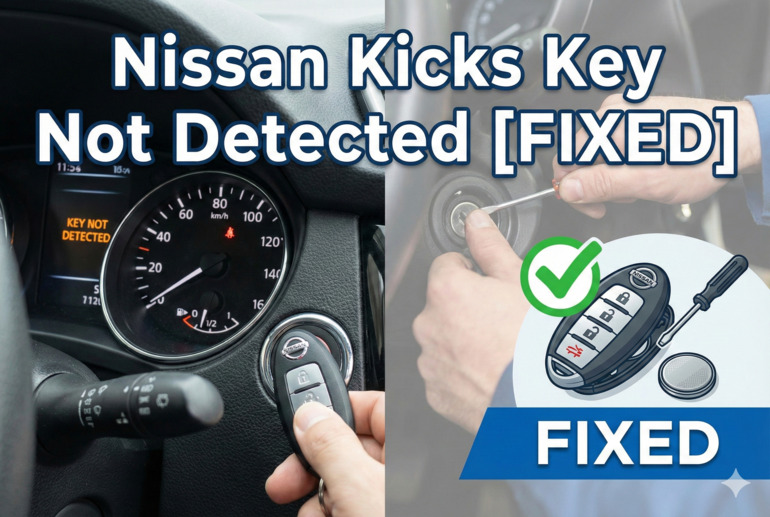
You’re running late for work, coffee in hand, ready to jump in your Nissan Kicks and hit the road. You press the start button, and instead of that satisfying engine hum, you get a warning on the dashboard: “Key Not Detected.” Your key fob is right there in your pocket or purse, but your car acts like it’s invisible.
This frustrating issue happens more often than you’d think, and it can leave you stranded at the worst possible times. The good part is that most causes are surprisingly simple, and many fixes take just a few minutes to try yourself.
In this post, you’ll learn exactly why your Nissan Kicks might not be detecting your key fob, the most common culprits behind this problem, and practical solutions you can try right away to get back on the road.
What’s Really Happening When Your Key Isn’t Detected
Your Nissan Kicks uses what’s called an Intelligent Key system. This clever setup lets you start your car and unlock your doors without fumbling for keys. The key fob sends a radio frequency signal to your car, and when everything works properly, they communicate seamlessly. But when that communication breaks down, your car refuses to start.
The system relies on several components working together. Your key fob has a small battery and a radio transmitter inside. Your car has antennas and a receiver module that picks up the signal. There’s also a control module that processes everything and gives your car the green light to start.
When any part of this chain fails, you’ll see that dreaded warning message. Sometimes the issue is as simple as a weak battery. Other times, it might be interference from other electronics or a genuine malfunction in the system.
If you ignore this problem, you might find yourself stuck somewhere inconvenient. Your car won’t start, which means you can’t get to work, pick up the kids, or run essential errands. Even worse, you might not be able to lock or unlock your doors properly, leaving your vehicle vulnerable.
Nissan Kicks Key Not Detected: Likely Causes
Several things can trigger this warning on your dashboard, and knowing what they are helps you fix the problem faster. Let me walk you through the most likely culprits behind this annoying issue.
1. Dead or Weak Key Fob Battery
Your key fob runs on a small coin battery, typically a CR2025 or CR2032. These batteries last about two to three years under normal use, but they don’t warn you before they die. You might notice the range getting shorter before it stops working completely.
A weak battery doesn’t always mean total failure. Sometimes your fob works when you’re right next to the car but fails from a few feet away. You might also notice the lock and unlock buttons becoming less responsive.
The battery drains faster if you keep your key fob near electronics that emit radio frequencies, like your phone or computer. Even storing multiple key fobs together can cause them to drain faster because they keep trying to communicate with each other.
2. Electromagnetic Interference
Modern life fills the air with radio signals, and sometimes these signals mess with your key fob’s communication. Cell phones, tablets, laptops, and even some buildings with heavy electronic equipment can create interference that blocks the signal between your fob and your car.
Shopping malls and airports are notorious for this. The sheer number of wireless devices in these places can overwhelm your key fob’s signal. You might find your key works perfectly at home but fails in a crowded parking garage.
3. Steering Wheel Position
This one catches a lot of people off guard. If your steering wheel is turned all the way to one side when you try to start the car, the Intelligent Key system might not work properly. The steering lock mechanism can interfere with the signal reception.
Your Nissan Kicks has antennas built into specific locations around the car, including near the steering column. When the wheel is at an extreme angle, it can block or weaken the signal path. This happens more often than you’d think, especially if you park on a steep hill or in a tight spot where you have to crank the wheel hard.
4. Faulty Key Fob or Damaged Internal Components
Physical damage to your key fob can stop it from working, even if it looks fine on the outside. Dropping your fob, getting it wet, or exposing it to extreme temperatures can damage the internal circuit board or the transmitter.
Sometimes the buttons wear out from repeated use. The contact points inside can corrode or break, preventing proper signal transmission. You might not see any visible damage, but the electronics inside are compromised.
Water damage is particularly sneaky. Maybe your fob went through the washing machine, or you got caught in a rainstorm with it in your pocket. Even small amounts of moisture can corrode the delicate electronics over time.
5. Car Battery or Electrical System Issues
Your car’s battery powers the receiver system that picks up your key fob’s signal. When the car battery gets weak or the voltage drops, the Intelligent Key system might not function properly. This often happens alongside other electrical issues.
You might notice dim dashboard lights, slow cranking when starting, or other electrical quirks before the key detection fails. A corroded battery terminal or loose connection can also interrupt the power supply to the receiver module, causing intermittent key detection failures.
Nissan Kicks Key Not Detected: DIY Fixes
Fixing this issue doesn’t always require a trip to the dealership or a call to a mechanic. Here are several solutions you can try yourself, starting with the simplest and moving to more involved fixes.
1. Replace the Key Fob Battery
Start here because it’s the easiest and most common fix. Pop open your key fob by finding the small slot or button that releases the cover. You’ll see a small round battery inside.
Note which way the battery sits before you remove it. The positive side (usually marked with a +) typically faces up, but double-check. Take the old battery to any electronics store, auto parts shop, or even many pharmacies to get an exact replacement.
When you install the new battery, make sure it clicks into place properly. Press the buttons a few times after reassembly to make sure everything works. Your car should recognize the fob immediately, though some models might need you to press the unlock button once near the car to resync.
2. Move Your Key Fob Around
Sometimes the key fob’s position matters more than you’d think. Try holding it in different spots when you press the start button. Place it against the start button itself, on the dashboard near the steering column, or in the center console.
Your Nissan Kicks has backup antennas in specific locations designed for situations where the main system isn’t picking up the signal. The area right around the start button usually has the strongest reception. If your battery is getting weak but not completely dead, this might be enough to get your car started.
3. Turn the Steering Wheel
Before trying to start your car, make sure your steering wheel sits straight or close to center. If it’s locked or turned hard to one side, straighten it out as much as the lock allows. Then try starting your car again.
You can also try turning the wheel slightly left and right while pressing the start button. This movement sometimes helps the system reset or find a better signal path. Just don’t force it if the steering feels locked.
4. Check for Interference and Move Away from Electronics
Take your phone, tablet, and any other electronic devices out of your pockets and away from the car. Set them on the ground a few feet away or in the back seat. Then try starting your car.
If this works, you’ve found your culprit. You can still use your electronics, but try keeping them in different pockets or bags from your key fob. Some people find that keeping their phone in a separate pocket from their keys solves the problem permanently.
Also pay attention to where you’re parked. If you’re near a cell tower, power lines, or a building with lots of electronic equipment, try moving your car a short distance away and testing again.
5. Use the Mechanical Key Backup
Every Nissan Kicks key fob has a physical key hidden inside. Look for a small release button or switch on the back of your fob. This pops out a traditional metal key.
You can use this key to unlock your driver’s door manually. Once inside, you can still start the car even if the system isn’t detecting your fob. Hold the key fob directly against the start button and press. This creates a direct connection that bypasses the wireless system.
This method works as an emergency backup, but it tells you that your fob or the car’s receiver system needs attention. Don’t rely on this as a permanent solution.
6. Clean the Key Fob Contacts
If you suspect moisture or corrosion might be affecting your key fob, you can try cleaning it. Open the fob carefully and look at the battery contacts and circuit board. Use a cotton swab dipped in rubbing alcohol to gently clean any visible corrosion or residue.
Let everything dry completely before reassembling. Even a tiny bit of moisture can prevent proper contact, so give it at least 30 minutes to air dry. You can also use compressed air to blow out any dust or debris.
Be gentle with the circuit board. Don’t scrub or apply pressure. Just lightly wipe any visible buildup or corrosion from the metal contacts.
7. Contact a Nissan Technician
If none of these solutions work, your issue likely requires professional diagnosis. A certified Nissan technician has specialized tools to read error codes from your car’s computer system and test both your key fob and the car’s receiver module.
You might need a new key fob, or the receiver module in your car might need replacement or reprogramming. Sometimes the issue stems from a software glitch that requires a dealer-level update. Don’t keep struggling with workarounds when professional help can provide a permanent fix.
Wrapping Up
Seeing that “Key Not Detected” message on your Nissan Kicks dashboard doesn’t have to ruin your day. Most of the time, a simple battery replacement or quick adjustment gets you back on the road within minutes. Even the more complex causes often have straightforward solutions you can try yourself before heading to a shop.
Pay attention to how your key fob behaves over time. If you notice the range decreasing or buttons becoming less responsive, swap that battery before you end up stranded. Keep your key fob away from water and extreme temperatures, and be mindful of electronic interference in your daily routine. These small habits can prevent frustrating breakdowns and keep your Intelligent Key system working smoothly for years to come.v