
Your Nissan Murano’s key fob stopped responding, and now you’re stuck juggling groceries in one hand while frantically pressing buttons that refuse to cooperate. Frustrating, right? This little remote is supposed to make your life easier, but when it fails, even unlocking your car becomes a hassle.
The good thing is that most key fob problems aren’t as complicated as they seem. You don’t need to rush to the dealership or shell out hundreds of dollars just yet. In this guide, you’ll learn exactly why your key fob might be acting up and how to get it working again with simple fixes you can try right at home.
What’s Really Going On With Your Key Fob
Your Nissan Murano’s key fob works through radio frequency signals that communicate with your car’s receiver. When you press a button, the fob sends a coded signal telling your car to unlock, lock, or pop the trunk. This system relies on a small battery, electronic circuits, and proper programming to function smoothly.
Things start going wrong when any part of this communication chain breaks down. Maybe the battery has drained to a point where it can’t send strong enough signals. Perhaps the internal circuitry got damaged from being dropped one too many times. Sometimes the issue isn’t even with the fob itself but with your car’s receiver getting confused or dirty.
Physical damage plays a bigger role than most people realize. That time you accidentally sat on your keys or dropped them in a pudding? Those moments can crack circuit boards, misalign buttons, or let moisture seep inside. Water damage is particularly sneaky because it doesn’t always show immediate symptoms.
Your key fob might also lose its programming. This happens when the fob and your car’s computer stop recognizing each other, kind of like forgetting a password. Battery replacement can sometimes trigger this, or it might occur randomly after years of use. When programming fails, your fob becomes just an expensive plastic toy.
Nissan Murano Key Fob Not Working: Likely Causes
Before you can fix anything, you need to know what’s actually broken. Most key fob failures trace back to a handful of common culprits that are easier to identify than you might think.
1. Dead or Weak Battery
Your key fob’s battery doesn’t last forever, typically giving out after two to four years of regular use. Think about how many times you press those buttons daily. Each click drains a tiny bit of power, and eventually, there’s nothing left.
You might notice warning signs before complete failure. The fob works only when you’re standing right next to your car, or you have to press buttons multiple times before getting a response. These symptoms scream weak battery.
Some batteries die suddenly without warning, especially in extreme temperatures. Cold weather can zap battery power overnight, leaving you stranded in your driveway on a freezing morning.
2. Damaged Internal Components
Dropping your key fob on concrete or tile floors can crack the circuit board inside, even if the outside looks fine. These internal cracks disrupt the electrical pathways that make everything work.
Buttons wear out from constant pressing. That unlock button you use ten times a day? Its contacts eventually degrade, making it less responsive or completely unresponsive. You might find yourself pressing harder and harder, which only speeds up the damage.
3. Water or Moisture Damage
Water and electronics mix about as well as oil and vinegar. Your key fob sitting in a humid pocket, getting caught in the rain, or taking an accidental swim can corrode the delicate circuits inside.
Moisture doesn’t have to mean full submersion. Even high humidity over time can cause problems. You’ll often see green or white corrosion on the circuit board, which blocks electrical signals from flowing properly.
The rubber seals around your key fob buttons deteriorate with age, making it easier for moisture to sneak inside. Once water gets in, it spreads across components and creates shorts that prevent normal operation.
4. Programming Issues
Your car’s computer might forget your key fob exists. This deprogramming can happen after battery replacement, electrical work on your vehicle, or sometimes for no apparent reason at all.
Each key fob has a unique code that matches your specific Murano. When this code gets scrambled or erased, your car treats the fob like a stranger trying to break in. The fob sends signals, but your car ignores them completely.
5. Interference From Other Devices
Radio frequency interference can block your key fob’s signals from reaching your car. Cell phone towers, power lines, and certain buildings create electromagnetic noise that drowns out your fob’s weak signal.
Some parking structures have terrible RF interference because of all the metal and electrical systems. Your fob works fine everywhere except that one specific location. Electronic devices inside your car, like aftermarket alarms or poorly installed accessories, can also jam the signal.
Nissan Murano Key Fob Not Working: DIY Fixes
Now that you know what might be wrong, let’s tackle the solutions. Most of these fixes take just a few minutes and require tools you probably already have at home.
1. Replace the Battery
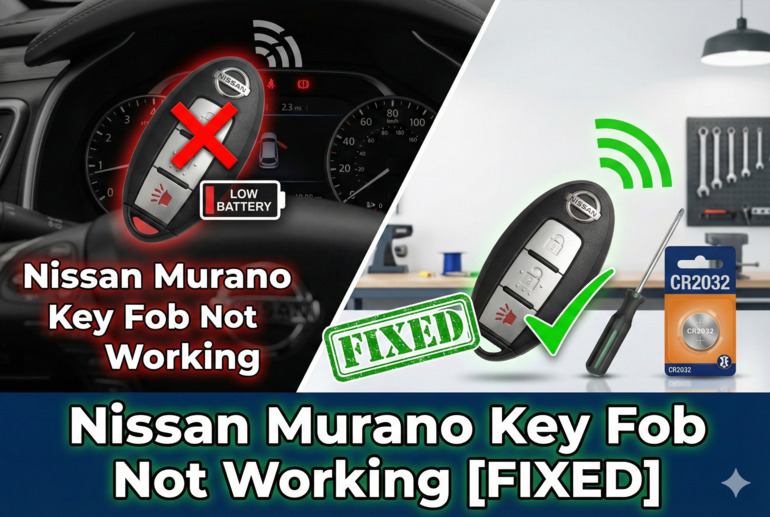
Pop open your key fob by finding the small slot or button that releases the two halves. You might need a flathead screwdriver or a coin to twist it apart gently. Inside, you’ll see a small circular battery, usually a CR2032.
Note which side faces up before removing the old battery. Flip it out carefully and insert the new one in the exact same position. The wrong orientation means no power, no matter how fresh the battery is.
Snap the fob back together and test all the buttons. If this was your problem, everything should work immediately. Keep a spare battery in your glove box for next time. Fresh batteries cost just a couple of dollars and take less than two minutes to swap.
2. Clean the Internal Contacts
After opening your fob to check the battery, inspect the circuit board for dirt, corrosion, or sticky residue. These contaminants prevent proper electrical contact.
Grab some rubbing alcohol and a cotton swab. Gently clean the battery contacts and button pads, paying special attention to any visible corrosion. For stubborn buildup, a soft toothbrush works wonders. Let everything dry completely before reassembling. Even a tiny bit of leftover moisture can cause new problems.
3. Check for Physical Damage
Examine the circuit board under good lighting. Look for cracks, burns, or components that seem loose or out of place. Sometimes a crack is so fine you’ll barely see it, but it’s enough to break the circuit.
Inspect the buttons themselves. They should press smoothly and spring back quickly. Sticky or mushy buttons indicate worn contacts underneath. Press each button while watching the circuit board to see if the rubber contact actually touches the board properly.
If you spot obvious damage like a cracked board or broken solder joints, this might be beyond a simple fix. You can try ordering a replacement circuit board online for your specific Murano year, but at this point, getting a new fob often makes more sense.
4. Reprogram Your Key Fob
Reprogramming sounds intimidating, but it’s actually straightforward. Get in your Murano with all doors closed, bringing all key fobs you want to program.
Here’s the sequence:
- Insert your key into the ignition and turn it to ACC position, then back to LOCK. Do this six times within ten seconds.
- Your hazard lights will flash twice, confirming you’ve entered programming mode.
- Press any button on your key fob while the lights are still flashing. The hazard lights should flash once more.
- Wait ten seconds, then turn the ignition to ACC and back to LOCK one final time.
- Test your fob outside the car.
This process resyncs your fob with your car’s computer. If one fob works but another doesn’t, the working one proves your car’s receiver is fine.
5. Try the Mechanical Key
Every Nissan Murano key fob has a hidden physical key inside. Look for a small release button or switch on the fob that lets you slide out a traditional metal key.
Use this key to manually unlock your driver’s door. Once inside, you can start your car by holding the fob against the push-button start while pressing the button. Your car has a backup chip reader built into the start button for exactly this situation.
This doesn’t fix your fob’s remote functions, but it gets you mobile while you troubleshoot or wait for a replacement. Many people don’t even know this feature exists until an emergency.
6. Reset Your Car’s System
Sometimes your Murano’s computer needs a fresh start. Disconnect your car battery’s negative terminal for about fifteen minutes. This clears temporary glitches in the car’s systems that might be blocking communication with your fob.
Reconnect the battery and try your key fob again. This hard reset has solved mysterious fob problems for countless drivers when nothing else worked. Your radio presets and clock will reset, so be prepared to reprogram those.
7. Contact a Professional Locksmith or Dealership
If none of these fixes work, you’re looking at either a completely dead fob or a receiver problem in your car. A qualified automotive locksmith can diagnose which component has failed and often program new fobs at lower prices than dealerships. Dealerships have access to factory parts and programming tools, making them your best bet for complex issues. They can also verify whether your car’s antenna or receiver module needs replacement, which isn’t a job for home mechanics.
Wrapping Up
Your Nissan Murano’s key fob is a small component that carries big importance in your daily routine. When it stops working, the inconvenience reminds you just how much you rely on that little remote. Fortunately, most problems stem from simple causes that you can address without professional help or major expenses.
Starting with a new battery solves the majority of cases. From there, cleaning contacts, checking for damage, and reprogramming cover nearly everything else. Even if you end up needing a replacement fob, you’ll save money by understanding what went wrong and trying these basic fixes first. Your mornings will be smoother, your groceries easier to manage, and your key fob back to being the helpful tool it’s meant to be.